Saturday, 2 June 2012

Shot Control v2.4 (Paid version) APK


A camera app designed to help serious photographers take better photographs. Shot Control allows photographers to better control, monitor, and manage the Android photography experience.
The users describe it best...

Features:
Multiple Touch Focus/Meter regions on ICS (on supported devices with Android 4.0)
Direct access to exposure control and zoom
One tap access to ISO, White Balance, Scene Modes, Focus Modes, and Flash Mode Settings (based on device abilities)
Custom mapping for hardware buttons (like volume down for focus, volume up for shutter)
Pre-focus function
35mm style film roll integrated with the viewfinder display
Star your favorite photos, which will be added to their own "Stars - Shot Control" group in the stock gallery app on most phones.
With "Instant Upload" enabled in Google+, photos with stars will be "instant uploaded" to G+/Picasa as if they were taken with the stock camera app.
What's in this version : (Updated : Jun 2, 2012)
Multiple touch to meter regions now supported on HTC One - v2.4
Landscape orientation for either way, flip 180 degrees if desired - v2.4
Required Android O/S : 2.1+

Download

EVA - Virtual Assistant v2.12 (Paid version) APK


Who should use EVA? If you are looking for an application that provides hands-free operation of your phone to open apps, read and reply to text messages and email, schedule calendar events and many more functions that you can perform using just your voice then EVA is right for you.

If you are just looking for an electronic friend to chat with then please go with one of the Siri clones. On the other hand if you want a real virtual assistant that has useful functions that will make your life easier then please give EVA a try.

EVA has all the functions you'd expect your assistant to perform plus some that you probably never new were possible. Here is a list of some of the functions that you wont find in most of the competition:
Home Automation with INSTEON. Turn on the lights and appliances, open the garage door and a whole lot more, all with voice commands or scheduled or based on your location.
Location based reminders. Remind you to do something based on your location.
Location based actions. Perform any function that EVA can do based on your current location. Have EVA automatically text your wife when you leave the office.
Time based actions. Perform any function that EVA can do on a set day and time
In car mode including wake up phrase
Custom voice shortcuts to your phone applications. Give your apps any name you want and open them using that name.
Voice bookmarks to your favorite web sites. Give your bookmarks any name you want and open them using that name.
Activate just by shaking your phone
Works with all Bluetooth Headsets
What's in this version : (Updated : Jun 2, 2012)
Video Channel: http://www.youtube.com/user/Ausiguy1/videos
NEW QUICK START HELP MENU
HANDS-FREE READ AND REPLY TO FACEBOOK NEWS FEED AND SEVERAL OTHER FACEBOOK FUNCTIONS - SEE NEW VIDEO
NEW SPEAK AND PROMPT MESSAGE MODE
IMPROVED SCREEN LOCK/WAKE WITH PROFILES
CLEANER SETTINGS LAYOUT
NEW VIDEO FOR USING PROFILES
NEW PROFILES FOR ADJUSTING YOUR SETTINGS BASED ON YOUR OWN CRITERIA
EVERNOTE INTEGRATION
MICROSOFT EXCHANGE INTEGRATION
LOCATION BASED ACTIONS, REMINDERS
Required Android O/S : 2.2+

Download

Digital Alarm Clock - Pro v4.2 (Paid version) Apk


This Digital Alarm Clock from ZabaMobile has all the features you were looking for. Check out the reviews, they speak for themselves!
THIS VERSION ALSO INCLUDES A HANDY CUSTOMISABLE WIDGET!!!

After reviewing the fantastic user feedback and reviews, we know that you want an alarm clock that suits your exact needs and this Digital Clock puts you in control! Its all set up ready to go and the default theme looks amazing - or you can customise this clock to look and behave any way you like using the incredibly easy to use settings interface.

Drift off to sleep, safe in the knowledge that the alarm clock will reliably wake you up, the way you want to be woken, either gently or with a nudge!

This Digital Clock even knows when its time for bed. Simply plug in your charger or dock your device and the clock will automatically be shown along with other useful information including the next alarm time.

Try it now and find another practical use for your device.

There are so many great features and customisable options we can't mention them all but here are a few

Features:
Quickly style your clock by picking from a diverse selection of themes.
Completely customise the clock and make it your own, picking your colour of choice for each part of the display.
Set the size of the time and date, great for those who want to see it from across the room.
Adjustable brightness and new NightLight feature
Set up multiple alarms with rising volume, vibrate and much more.
Mute your device when its time for bed by automatically disabling all notifications and ringers.
No messing - the clock starts when your charger is plugged in and closes when unplugged.
What will you do with yours?

What's in this version : (Updated : May 31, 2012)
Brand New Version!
Pro users get the new features first including:
Great new widget for your homescreen
Background image
Music select for alarms
Themes
New settings interface
and so much more!!
Required Android O/S : 2.0+

Download

Battery Widget+ v1.0.0 (Paid version) APK


Battery Widget+ is a donate version of Battery Widget. In addition to all features in the free version, Battery Widget+ supports StylePack, which provides extra styles for battery level indicator icons.

Battery Widget is an elegant 1x1 widget which shows you the battery level on your home screen, with some nice animation when charging. Tapping on it will show more battery information with a shortcut to view battery use.

In case you don't have enough space in your home screen, a clear battery level indicator is available on status bar so that you can see it even when you are browsing the web or sending text messages. It can be configured to show in 3 different colors to reflect high/medium/low battery levels. You can also define your own alerts, so that Battery Widget will automatically notify you about battery status changes.

Battery Widget will not drain your battery, as it does only what it needs to do. When the device is idle, it is not listening to any battery information updates from the system if there are no active alerts. If there are active alerts, it just does minimal job to check if it needs to notify you and nothing more - it does not update any visible components when the handset is not in use. With this mechanism, Battery Widget consumes only little computation power and battery.

Available in multiple languages: English, Chinese (Traditional), Chinese (Simplified), Japanese, Korean, Spanish, Russian, Greek, Italian, Hungarian, Estonian, Turkish, French, German, Brazilian Portuguese and Polish.
Please email me if you could help me with localizing Battery Widget.

Features:

Battery level indicator on status bar, showing in different colors in 3 configurable level ranges
Alerts for various battery statuses
Time information when device is plugged/unplugged
Option to disable charging animation
Option to show temperature in Fahrenheit
Various indicator icon styles

Important Notes

Make sure that Battery Widget is excluded in any task killer programs; it might fail to work properly otherwise.
Due to the limitation of the Android platform, homescreen widgets will NOT be available if Battery Widget is moved to SD card.
Some devices indicate battery level every 10% due to their kernel design (known ones are: most Motorola devices including Droid and Atrix series, Samsung Moment series).
In Android 4.0, the system may shrink and dim level indicator icons in status bar.

Instructions

Please add Battery Widget to your home screen with the general methods below:
Method 1:
Press Home button followed by Menu button. Select Add -> Widgets -> Battery Widget.
Method 2:
Press Home button to show the home screen. Tap and hold your finger on any available space, select Widgets -> Battery Widget.
Procedures to add widgets on home screen might be different in devices from various manufacturers with their custom user interfaces.

Required Android O/S : 2.1+

Download

Galaxy S3 Go Theme and Locker v3.0 APK


It is applicable to all phones and make your phones look like a TouchWiz UX Natural.
By installing this theme package, your phone's LockScreen and Launcher will become TouchWiz UX Natural-Like, which is recently the hot phone Samsung Galaxy S 3 's launcher.

Make sure your Go Launcher EX to have the following TWO settings in order to get the same apperance of the screenshot above,
Homescreen> MENU Key> Preferences> Visual settings> Icons> Uncheck Icon base
Homescreen> MENU Key> Preferences> Visual settings> Icons> Icon size> Default size (small)
This is a Theme for Go Launcher EX & Go Locker

Before Using:
You need to have:
The latest version of GO Launcher EX and Go Locker installed to access the theme.
(Search "GO Launcher EX" & "Go Locker" via Google Play Store to download)
To apply the theme within GO Launcher EX:
"Menu> Preferences> Theme>S3 Touchwiz 5 Go Launcher EX Theme>Apply"
(Attention: It will set your wallpaper to the selected theme’s wallpaper automatically.)
If icon on homescreen is not replaced by my theme's icon, please replace the theme icon manually:
"Long Pressed the icon>Replace>Theme’s icon>S3 Touchwiz 5 Go Launcher EX Theme>locate the icon"
Choosing Wallpapers
In the homescreen of Go Launcher EX, press "Menu" key.
Then, press "Wallpaper"
Select "Go Wallpapers"
Choose your favorite wallpaper
Features:
New TouchWIz UX Nature Locker with 4 Shortcuts at the bottom. ( Work on all resolution )
30+ HD TouchWiz UX Nature icons
30+ HD TouchWiz 4 Galaxy S2 (i9100) icons
30+ HD TouchWiz icons from Galaxy Note (N7000) ice-cream Sandwich
24 Natural HD Wallpapers
App2SD (Allow to move apps to SD Card Memory)
To Optimize this theme
For better outlook, please follow the instruction below:
a) MENU>Preferences>Visual Settings>Icons>Icon Size>Default Size(Small)
b) MENU>Preferences>Visual Settings>Indicator>Indicator position>Bottom of screen
c) MENU>Preferences>Screen Setings>Grid Size>Tight (5x4)
d) MENU>Preferences>Visual Settings>Icons>Icon base>Uncheck icon base

What's in this version : (Updated : )
Official Font Style is now applied to the lockscreen
Larger and Clearer Icons in lockscreen
Better Wallpaper in lockscreen
Required Android O/S : 2.0+

Download

Make Your Clock Pro v1.0.3 (Paid version) APK


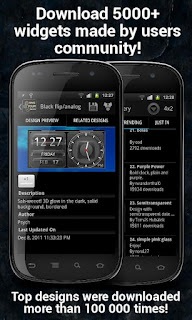
Make your very own clock widget design. Ultimate solution for all home screen modders.
You can create either minimalistic text-based or full features text based clock by yourself.
If you have a Taskmanager/Task Killer running please exclude/uninstall. They make your phone unstable.

Features:
highly customizable clock widget
weather widget
battery widget
Supported sizes:
1x1, 1x2, 2x1, 2x2, 3x1,3x2, 4x1, 4x2
Editor features:
Textsize
Textcolor
Adjustable color
Adjustable transparency
Background color
Font size
Widget features:
Single Tap to start App
Disable Tap
Web Gallery
download designs from the web
Similar apps:
SiMi Clock Widget
TypoClock (aka Typographic Clock)
Clockr
BattStatt
Beautiful Widgets
OneSeven
mClock
wp clock full
What's in this version : (Updated : Jun 1, 2012)
Application leaving Beta testing phase
Free Version improvements
minor tweaking of UI
added blind people support (using Explore by Touch)
bugfixes
Pro version improvements
minor tweaking of UI
added blind people support (using Explore by Touch)
bugfixes
fonts from SD card
Motorola 1% battery increments hack
text 90° rotation
more weather forecast elements
Required Android O/S : 1.6+

Download

Locus Pro v2.4.1 (Paid version) APK


MULTI-FUNCTION TOURIST NAVIGATION Irreplaceable application for hiking, geocaching and your everyday life.
Locus offers many useful features such as :
Online maps (browsing and downloading)
Offline maps
Navigation (online calculation tracks)
Vector maps
WMS service
Track recorder
Integration of Google My Maps (reading and editing)
Geocaching
Parking
Weather service
Point of interest
POI alert
Search (by adress, coordinates, contact)
Custom screen (created by community)
Integration of GPSies, Breadcrumbs, Street View and other
API for developers
Features :

ONLINE MAPS
OpenStreet maps (16 types), Freemap (4 types), ArcGIS (4 types), SHOCart (4 types), MapQuest (3 types), Navigasi (1 type)
Most of the maps can be used in offline mode. Selection of maps is still expanding. If you have a favorite map, which you don't find in Locus, please let us know and we add the maps to Locus (condition is that Locus corresponds with terms of use of map providers).

OFFLINE MAPS
Support for SQLite, TAR maps, MBT maps, GEMF formats.

GEOCACHING – complet offline
Support for import Pocket Query files, Field notes (ability to pre-fill), load all waypoints for all POIs, graphical calculations (intersections of circles, intersection of lines) and many other tools for geocaching.

VECTOR MAPS
Vector maps of the whole World in Locus.
Possibility to easy and fast downloading of maps thanks to addon, which can be bought to Locus Pro for 1€. The biggest advanteges are small size and quality of maps in all scales.

WEB MAP SERVICE – online
The service allows to display map layers (thematic maps) of geographical informations, that are provided for public by individual institutions.

What's in this version: (Updated : Jun 1 ,2012)

add: "Quick new point" feature - new very fast way to adding points
add: precise settings for automatic export recorded tracks
add: by API you can insert your application into "Search" menu or directly import WMS layer
chg: new design of Locus Shop
chg: new "About Locus" page
chg: improved POI alert notification settings
chg: import/export of GPX files together with links to icons
fix: graphics problems on Android 3.X tablets
Required Android O/S : 1.6+

(Use Custom patch to remove license verification)
Download

Twitter Delicious Facebook Digg Stumbleupon Favorites More

 
Design by Free WordPress Themes | Bloggerized by Lasantha - Premium Blogger Themes | Best Web Host